Connect and configure
tip
This is the quick version for the SubCam. For the full app reference (every setting, the schedule builder, and data and media management), see the PEBL App guide.
Connect to the PEBL App
- Press and hold the power button for 5 seconds, then wait about 20 seconds.
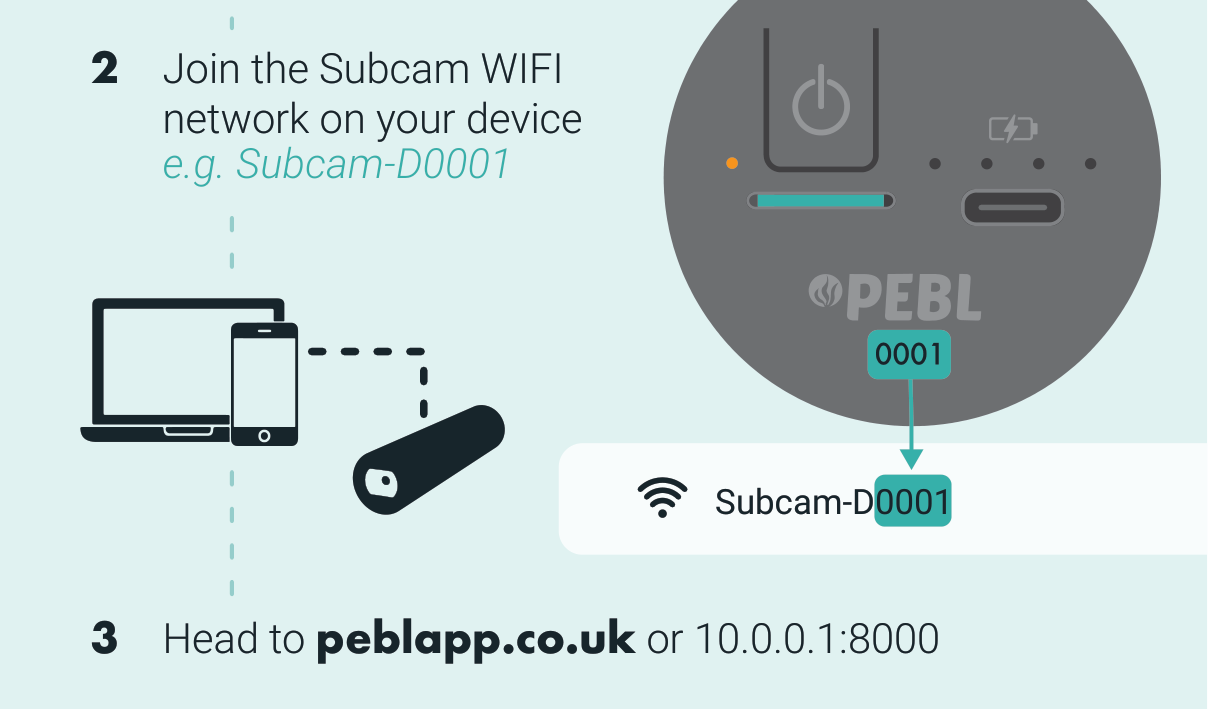
- On your phone or laptop, join the SubCam WiFi network. It is named after the device serial number, for example
Subcam-D0001. - Open peblapp.co.uk (or
10.0.0.1:8000) in any browser.
info
No internet or mobile signal is needed. The PEBL App runs entirely over the SubCam's own WiFi network, so it works anywhere, including offshore.
Configure and start logging
- With the PEBL App open, go to Configure.
- Edit the camera and device settings.
- Add a custom schedule with Add Schedule. Capture once every 30 minutes, hourly, only between set hours, or whatever pattern suits your deployment.
- Press Save and start logging.
The status LED turns green, and the device shuts down and enters logging mode within 30 seconds.
tip
Plan your schedule against the 15-hour recording budget. Spreading short captures across the day extends a deployment over weeks or months. Continuous capture uses the budget in a single session.