Operating and retrieving data
App overview
The PEBL App home screen shows device status and gives you the main controls.
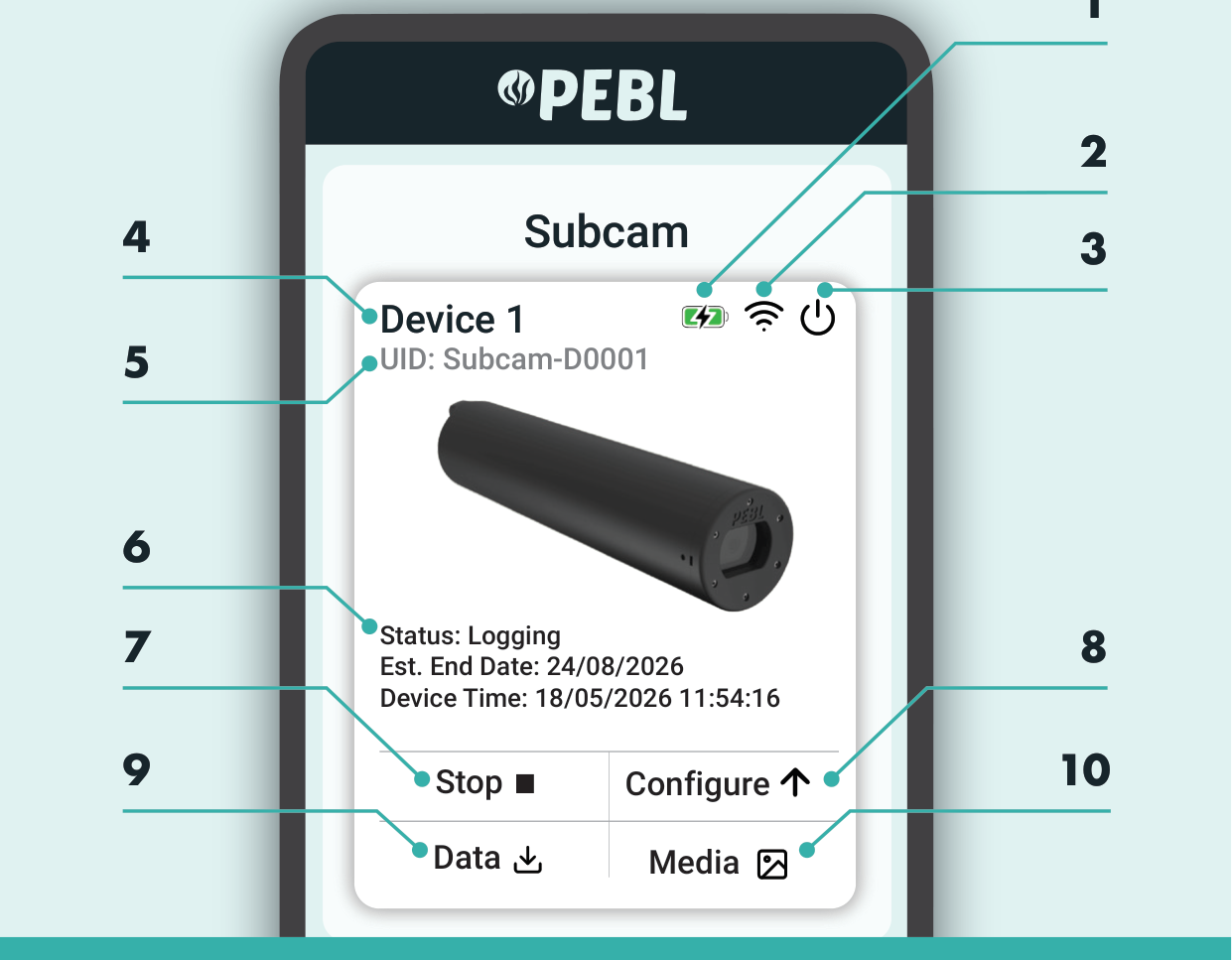
- Battery charge status
- Signal strength
- Turn off
- Custom device name
- Device serial number
- Device status
- Stop logging
- Configure and launch
- Manage data files
- Manage media files
Stop logging
- In the PEBL App, press Stop to end the logging session.
- Turn the device off, either from the app or by pressing the power button on the device.
Transferring files to a computer
- Stop the device logging, and make sure the device is off.
- Remove the SD card from the SubCam and insert it into your computer.
note
Media and data files can also be browsed in the PEBL App, from the Media and Data buttons on the home screen.